TabSquare alternative: Otter vs TabSquare
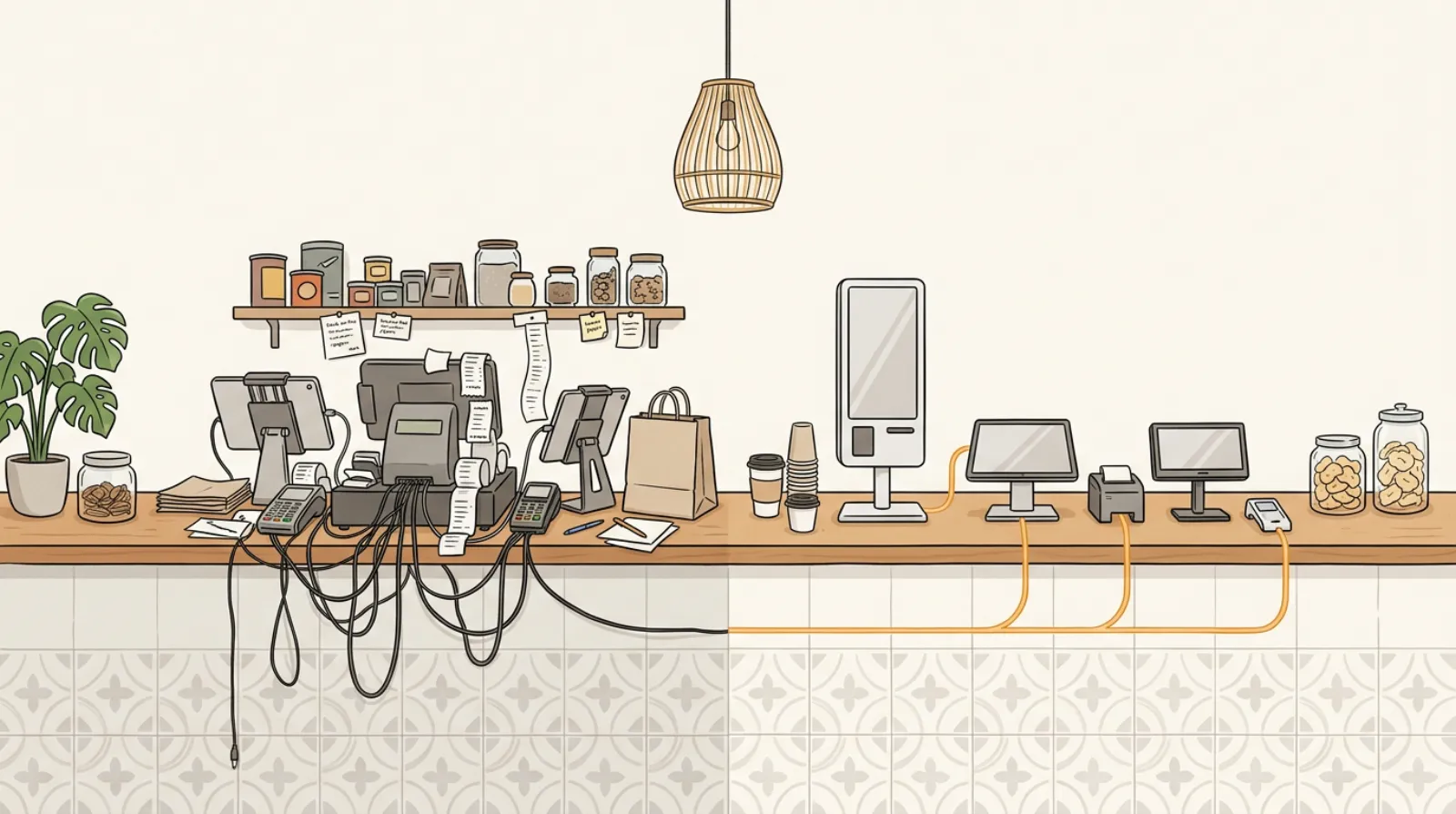
TabSquare and Otter agree on the big idea: self-ordering sells more than a cashier does, and smart upsell makes the difference. If you are reading this, you probably believe that too.
Where we differ is everything around the kiosk. TabSquare is the ordering layer. Otter is the whole outlet.
What is TabSquare?
TabSquare builds SmartKiosk and SmartWeb self-ordering with AI menu recommendations, mainly for QSR and counter service. It was founded in 2012 in Singapore and acquired by Delivery Hero in 2021.
Strengths: strong AI recommendation engine, proven in Singapore QSR, government grant packages in Singapore. Weaknesses: typically integrates with a third party POS rather than replacing it, so you pay and support two systems; setup and training billed separately by the day in grant packages; current pricing is quote only. Pricing: Singapore grant packages listed kiosk software around S$12 per kiosk per month, with two-kiosk bundles around S$10.400 to S$17.400 including hardware.
What is Otter?
Otter is the operating system for modern F&B. Self Order Kiosk, POS, kitchen, and owner control in one system. It started as a self-order kiosk (Otter Now) and grew into a full outlet stack for single cafes up to brands with 20 outlets. Lite is a real POS. Growth is the OS.
Self-ordering, front of house to back of house
Most POS systems start at the cashier and bolt ordering on later. Otter starts with the guest. Orders come in from the Self Order Kiosk, QR web order, the Otter App, the staff POS, and delivery platforms, and every one of them lands in the same queue, splits to the right kitchen station, and flows into stock, CRM, and reports. One system from front of house to back of house.
- Order from every channel. Kiosk, QR and web, Otter App, POS, and delivery platforms feed one kitchen queue. No second tablet, no retyping.
- Save on labor. Guests order and pay themselves, so cashiers move to the kitchen or the floor. A cashier costs an outlet about Rp4 to 7 million a month.
- Higher order accuracy. The guest taps exactly what they want, modifiers included. What they chose is what prints at the station.
- Less human error. No misheard orders, no handwritten tickets, no forgotten upsell. Station printing and Live View keep every ticket tracked until it is ready.
Otter vs TabSquare: feature by feature
| Feature | Otter | TabSquare |
|---|---|---|
| What it is | Full F&B OS: kiosk + POS + kitchen + ERP | Self-ordering layer |
| POS included | Yes | Integrates with your POS |
| AI or smart upsell | Upsell, bundle, happy hour | AI recommendations |
| Kitchen | Live View + station printing | Through your POS |
| Pickup display | Otter Now Serving | Not core |
| Local payments (Indonesia) | Dynamic QRIS, payment terminals | Varies by market |
| Pricing | Published | Quote only |
Why teams switch from TabSquare to Otter
Two systems means two invoices, two support lines, and one integration that breaks on a Friday night. With Otter, the kiosk, the POS, and the kitchen ticket are the same order in the same database.
One plan, not a stack of add-ons
Growth (Rp399.000, about $39.90 per outlet per month billed yearly) includes kiosk, QR web order, POS, dynamic QRIS, payment terminals, Kitchen Live View, station printing, Otter Now Serving, delivery platform integration, CRM, loyalty, inventory, recipe costing, central kitchen, warehouse, accounting, and a daily AI report on WhatsApp.
The kiosk is the core, not a bolt-on
Otter began as a kiosk. The 24 inch Otter Now is Rp19.900.000 to buy or Rp999.000 a month to rent. Self-order recovers roughly 20% of sales normally lost to queues.
Upsell that runs itself
Upsell, bundles, and happy hour prompts on kiosk and web order. This is where the roughly +20% average order value comes from.
A kitchen that never loses a ticket
Each order splits to its station automatically: summary, grouped by item, or one checker per item. Live View shows timers and a ready button per station.
Know your day before you sleep
At 22:00 a daily AI report lands on WhatsApp. Partner App and Dashboard give you advanced insights and forecasts.
Keeps selling when Wi-Fi drops
Offline mode on every plan keeps the outlet selling.
Price, value, and the software you actually use
There are many good POS options today, and some are very affordable or even free. For a small stall that only needs to record sales, that can be exactly right.
What a monthly fee really buys, though, is not a feature list. It is the quality of the software second by second during a lunch rush, the small details that save a few taps on every order, and a team that answers when something needs fixing. Software should take work off an owner's plate, not add another thing to manage.
It also only pays off when the team knows how to use it. A system with every feature is worth little if half of it never gets switched on. That is why Otter Growth includes guided setup and priority support: we set up the menu, the kiosk, and the kitchen stations with you, and show your team how to get the most from them, so every feature you pay for actually works for your outlet.
What it costs
Otter pricing: Lite about $12.90, Growth about $39.90, Enterprise from about $79.90 per outlet per month, billed yearly in IDR. Hardware is separate and can be bought or rented. Competitor prices are taken from public pages and pricing trackers and may change, so confirm before you sign.
When TabSquare is the better choice
TabSquare is the better pick for Singapore QSR chains that already run a POS they love and want best-in-class AI ordering on top, ideally with grant support.
Questions people ask
Does TabSquare replace my POS?
Usually not. TabSquare ordering is commonly integrated with an existing POS.
Does Otter have a kiosk?
Yes. Otter started as a kiosk. The 24 inch Otter Now is Rp19.900.000 to buy or Rp999.000 per month to rent.
See Otter in your outlet.
Want to see Otter running with your menu? Talk to us on WhatsApp and we will set up a demo around your kitchen flow.
Talk to us on WhatsApp